
Exit 01 · Your product
Copy the code for this
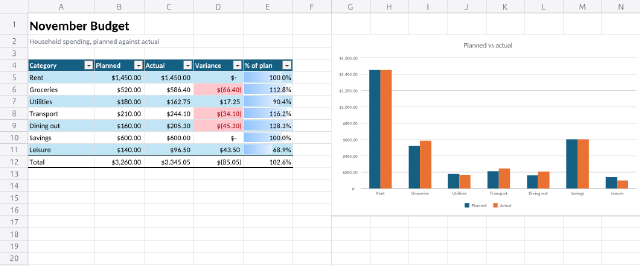
What this playground does, for the Sheet kit and household-budget.xlsx: the editor in your page, or the same engine in a script.
embed.ts · @kition/embed
import { KitionEmbed } from '@kition/embed'

// The same editor as the playground's, in your page.
const editor = await KitionEmbed.mount(element, {
  kit: {
    id: 'kit.sheet',
    // static files on your CDN: the editor and its WebAssembly engine
    url: 'https://cdn.example.com/kition/sheet-ui/',
  },
  file: { id: file.id, name: "household-budget.xlsx" },
  // your StorageProvider:
  // read, stamp, write (versioned), create
  storage,
  locale: 'en-US',
  theme: { colorScheme: 'dark' },
})
await editor.ready()

// "Download" here: save through your storage,
// then read the bytes it wrote.
await editor.save()
script.mjs · @kition/script
import { readFileSync, writeFileSync } from 'node:fs'
import { openKitPackage } from '@kition/script/node'

// The same Sheet engine as the editor, in Node, with no page.
const kit = await openKitPackage('./kits/sheet-ui')
const file = kit.open("household-budget.xlsx", readFileSync("household-budget.xlsx"))
const doc = await file.model()
// the object model and every command
const described = await doc.describe()
// ... edit through typed proxies (doc.run), then:
writeFileSync("household-budget.xlsx", file.save())